This work instruction is part of the guide Setting up your insurance solution.
A client relation in the Novulo environment could either be a person as well as an organization. Both types of clients can be added in the same place.
- In the main menu, navigate to the tile ‘Customers’, a list of all client relations will open.
Note: You can not create a customer under the tile ‘Contacts’ (but customers will be shown in the list of contacts). - Select the type of relationship you want to create.
- In the top-right corner, you will see both “Add organization’” and “Add person” buttons.
- In the top-right corner, you will see both “Add organization’” and “Add person” buttons.
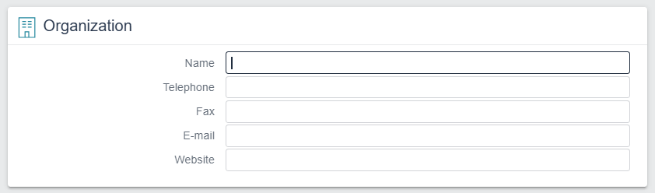
- Fill in the fields (as much as possible):
- For a private client, the fields ‘First name’ and ‘Surname’ are required
- For a business client, only the field ‘Name’ is required.
- For a private client, the fields ‘First name’ and ‘Surname’ are required


Important notes:
Date of birth – Be aware of the difference between using - and / in dates.
- The required format is dd-mm-yyyy.
- Use the built-in date picker or double-check the format.
- If entered incorrectly, no error message will be shown.
Postcode search – By default, this field shows “NL, 1234AB”.
- Ignore the prefilled text and continue entering the rest of the address details.
- The prefilled search fields will disappear once you continue typing.
